Questo sito web uso solo cookies necessari, richiesti per la corretta funzione del sito. Usando il sito, consenti tutti i cookies in accordo con la polizza dei cookies. Per sapere di più, fare riferimento alla Polizza dei Cookie
ZiMAD Supporto
Home
COMMON QUESTIONS
How do I enable/disable the slide show on the main screen?
Ultimo aggiornamento: 3g
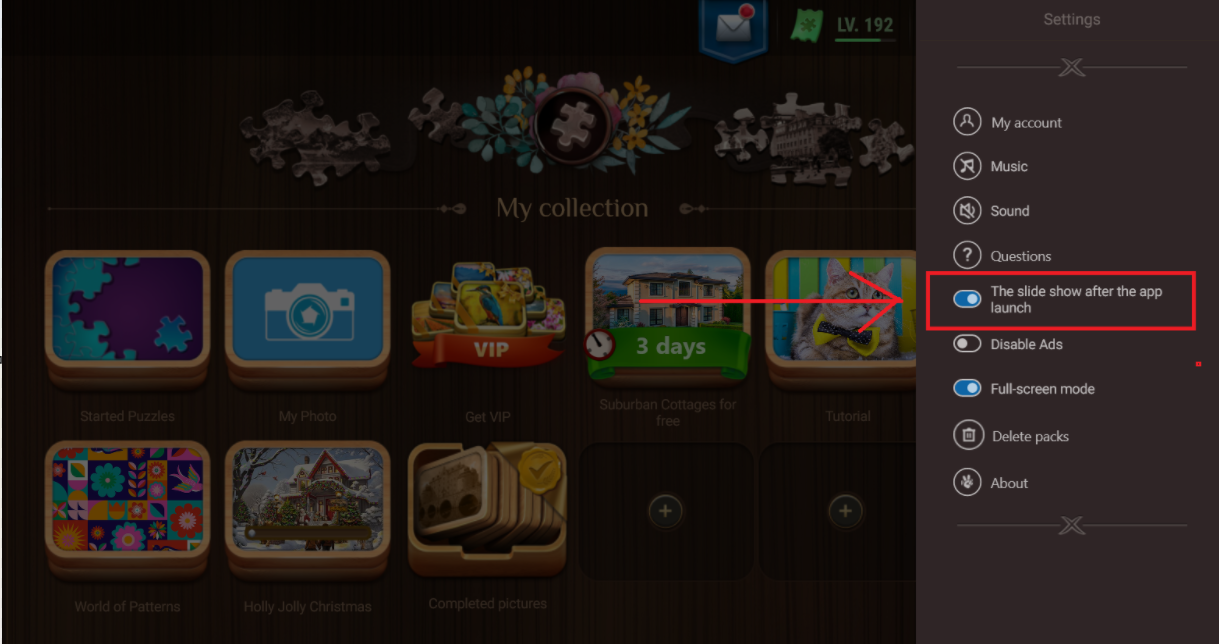
To enable/disable the slide show:
Open Magic Puzzles and click on the Settings
In the menu that opens, choose the option highlighted in the screenshot below:
Articoli Correlati
Serve ancora aiuto?